Play Checkers With Friends Online
One link, no account, nothing to install · Updated November 16, 2026
Most ways of playing checkers online with a particular person want something from you first: an account, an app, a username to look up. This one wants a link. Press the button, send what it gives you, and whoever opens it is sitting opposite you on the same board — on a phone, a tablet or a laptop, it makes no difference. Below the link maker there is also the two-players-on-one-screen version, for when you are in the same room.
Make your invite link
Pick the game, then press the button.
How it works
- Press the button above. A game is opened on the server with you already seated in it. Nothing is asked of you — no name, no email, no app.
- Send the link. Copy it into a message, or use Share to hand it to WhatsApp, Messages, Telegram or whatever else your device offers.
- Open the board and wait. The moment your friend opens the link they take the other seat and the game starts. Red moves first; you are Red.
That is the whole thing. If you would rather have the board in front of you while you send the link, open it first — the game sits there waiting, and the invite stays valid until somebody takes it.
What a link gets you that a chat-window game does not
Plenty of sites will put two people on a board. The differences worth knowing about here are the ones you only notice when something goes wrong, or when somebody is tempted to bend a rule.
- The server checks every move. It runs the same rules engine the board does and rejects anything illegal rather than trusting the browser that sent it. Captures are compulsory in checkers, and that is enforced too — so the commonest bit of casual cheating, quietly not taking a jump, is off the table.
- A dropped connection is not a loss. If a phone goes through a tunnel the game waits 90 seconds for it to come back, and the position is restored exactly. A refresh puts you back in your own seat rather than starting something new.
- There is a clock, and the server keeps it. Two minutes a move, counted server-side, so nobody can leave you looking at a board for an hour and nobody can fiddle with it from their end.
- It counts. Both of you get an Elo rating from the result, guests included, along with a country flag and a strength badge once you have five rated games. One rating covers all four variants.
- You can talk. There is a chat box beside the board, which is most of what makes a game with a friend different from a game with a stranger.
- No advertising and no popup. Nothing covers the board, ever — not on arrival, not when the game ends. That is checked by the test suite, not just intended.
Four games, and the link carries which one
The variant is decided when you make the link and travels with it. Your friend does not have to know what you picked or set anything up — they open the link and the right board is already in front of them, 8×8 or 10×10, diagonal or orthogonal.
- American checkers — the familiar one. Men move and capture forwards only, kings one square at a time. Start here if you are not sure; the how to play checkers guide covers it in five minutes.
- Brazilian draughts — same 8×8 board and same twelve pieces, but men capture backwards too, kings slide any distance, and you must take the longest capture available. A much sharper game on the same equipment.
- International draughts — 10×10, twenty pieces a side, the version played at world-championship level.
- Turkish draughts — pieces move forwards and sideways instead of diagonally and the whole board is in play. It feels less like a checkers variant and more like a different game that happens to use the same box.
All four are rated and all four can be played over a link, a lobby challenge or a friend challenge. The guides hub has the full rules for each.
Two players, one screen
If you are sitting next to each other, there is no reason to involve the network at all. Open the two-player board — or press 2 Players in the Game Mode panel on the game page — and the computer steps out of the way. Both sides are moved by hand, so one device between you is enough — which is also why this is the mode that works on a borrowed or locked-down machine, where a board that needs no install and no account is the only kind you can open at all.
Two things are different from an online game, both on purpose. You can take moves back, which is useful when you are teaching somebody and impossible when you are playing a stranger. And nothing is rated: a game where one person moves both sets of pieces is not something an Elo number can mean anything about. All four variants work here too — the tabs above the board switch between them.
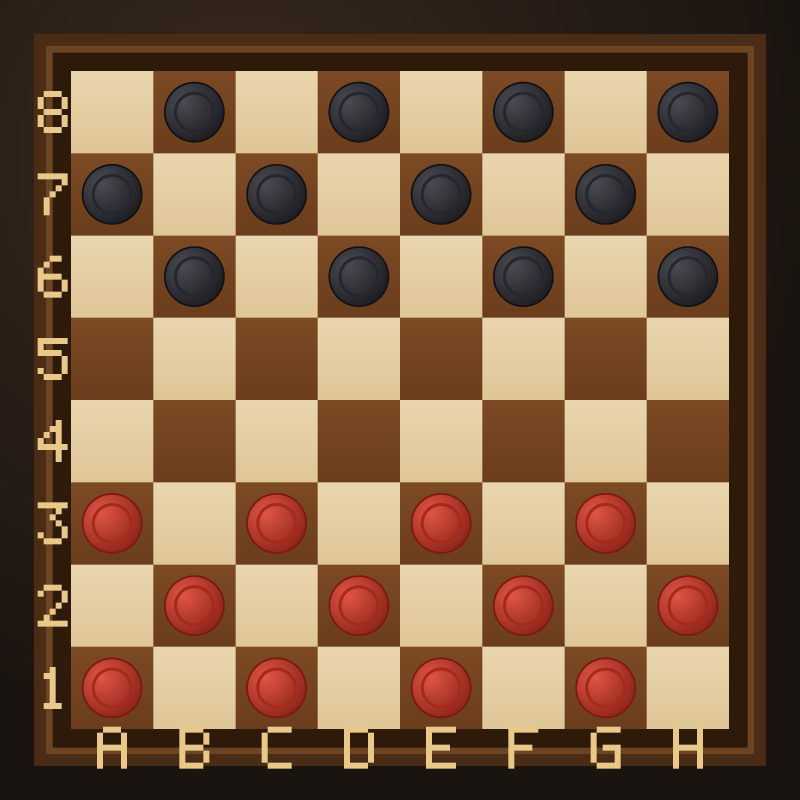 The position you both start from. If you are not sure which way the board goes, setting up a checkers board settles it.
When your friend is not there yet
A link only helps if somebody is at the other end of it. When they are not, there are three other ways onto a board, and they are the reason an empty-looking site is usually not empty.
- Post an open challenge. It appears in the lobby for anyone to accept, it survives you closing the tab for a full 24 hours, and if you let the browser notify you it will tell you the moment somebody takes it. This works far better here than waiting in a queue does — a queue needs two people searching in the same minute, a posted challenge just waits.
- Challenge somebody who is online. The lobby lists everyone currently on the site, with their rating and whether they are already in a game. You can challenge any of them directly — no friend request, no account needed on either side.
- Add them as a friend. With an account you get a friends list that shows who is online, and you can challenge them in one click instead of sending a link each time.
And while you wait, the computer is right there: play checkers against the computer at three strengths, or solve the daily checkers puzzle.
Questions about playing checkers with friends
How do I play checkers online with a friend?
Make an invite link on this page and send it to them however you normally talk — a message, a chat, an email. When they open it they land straight on the board opposite you and the game starts. Neither of you needs an account, and there is nothing to install.
Do we both need an account to play checkers together?
No. Both of you can play as guests. A guest still gets a rating, a country flag and a game history kept in that browser, so there is no part of the game held back behind a signup. An account is only useful if you want the same rating on a second device, or a friends list you can challenge without sending a link each time.
Can two people play checkers on the same screen?
Yes. The 2 Players button on the game page turns off the computer and lets both sides be moved by hand, so one phone, tablet or laptop is enough for two people sitting together. It works in all four variants, and you can take moves back, which an online game deliberately does not allow.
Is online checkers with friends free?
Yes, completely, and there is nothing to buy. The site carries no advertising and shows no consent popup. Three Amazon links to physical checkers sets on the home page are the only commercial thing on it, and they are marked as such.
How long does a checkers invite link last?
While you stay on the site it waits for as long as you do. If you close the tab and nobody has joined, the game is cleared after about half an hour and the link stops working — make a new one, it takes a second. If you want a challenge that survives being switched off, post a standing challenge in the lobby instead: that one waits 24 hours and tells you when somebody takes it.
What if my friend is not online right now?
Post an open challenge in the lobby. It is listed for anybody on the site to accept, it outlives your tab for 24 hours, and if you allow notifications your browser tells you when somebody takes it. You can also challenge any player shown as online directly — no friend request needed — or play the computer while you wait.
Which checkers variants can we play against each other?
All four: American checkers, Brazilian draughts, international draughts on a 10×10 board and Turkish draughts, which moves sideways and forwards instead of diagonally. The variant is fixed when the link is made and travels with it, so your friend does not have to pick anything — they open the link and the right board is already there.
Can my friend cheat with a checkers engine?
They can consult one, exactly as in any online board game, but they cannot play an illegal move: the server checks every move against the rules itself and rejects anything that does not follow them, rather than trusting what the browser sends. Captures are compulsory and the server enforces that too, so the most common way of cheating at casual checkers — quietly declining a jump — is not available.
Ready? Make a link, or just open the board and press Invite a Friend there — it is the same game either way.